
Edit the User
User Properties
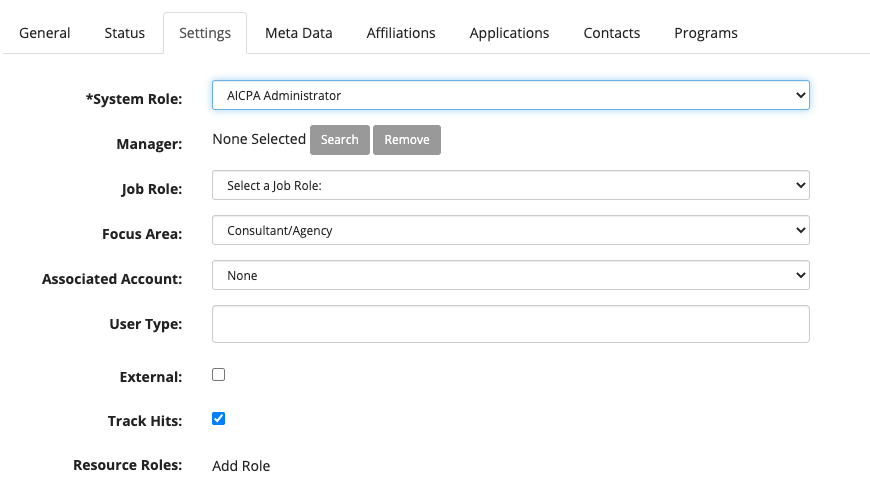
Change Sytem Role
Click the Settings tab and change the System Role to AICPA Administrator
Map User to Channels
Click the Affiliations tab to change the affiliations
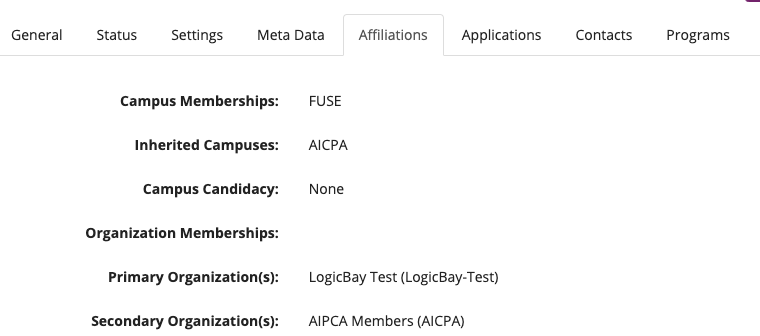
An AICPA-CIMA administrator must be mapped to all Channels as an Organization Member, Organization Manager and Organization Administrator.
ORGANIZATION MEMBER
- Click the Organization Membership link to open the MapTo screen.
- Set the Source to Organization and Sub-Type to Public Channel
- Click the Get Items button
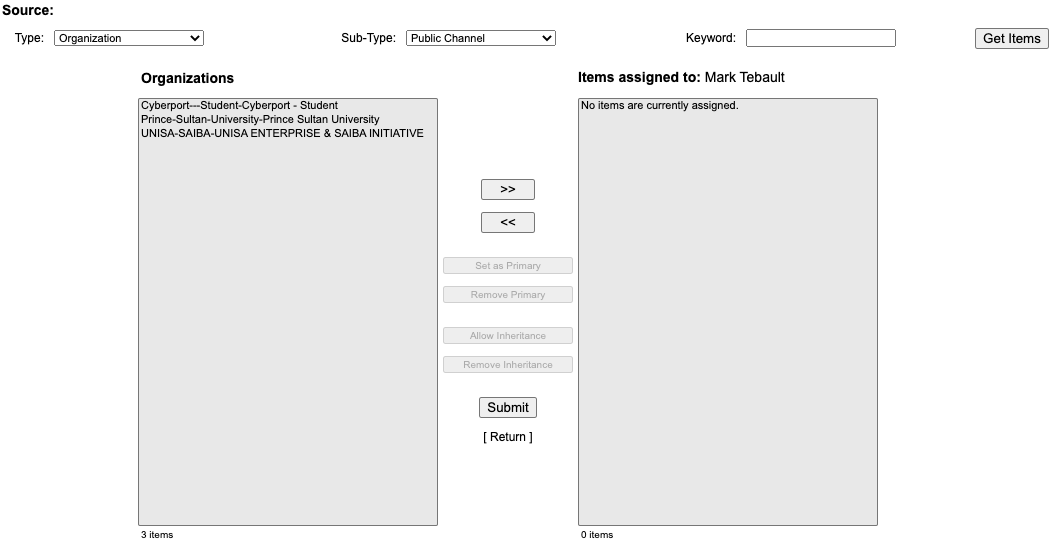
- Select all the Channels in the Organizations list and click the >> button
- Click the Submit button to save the changes
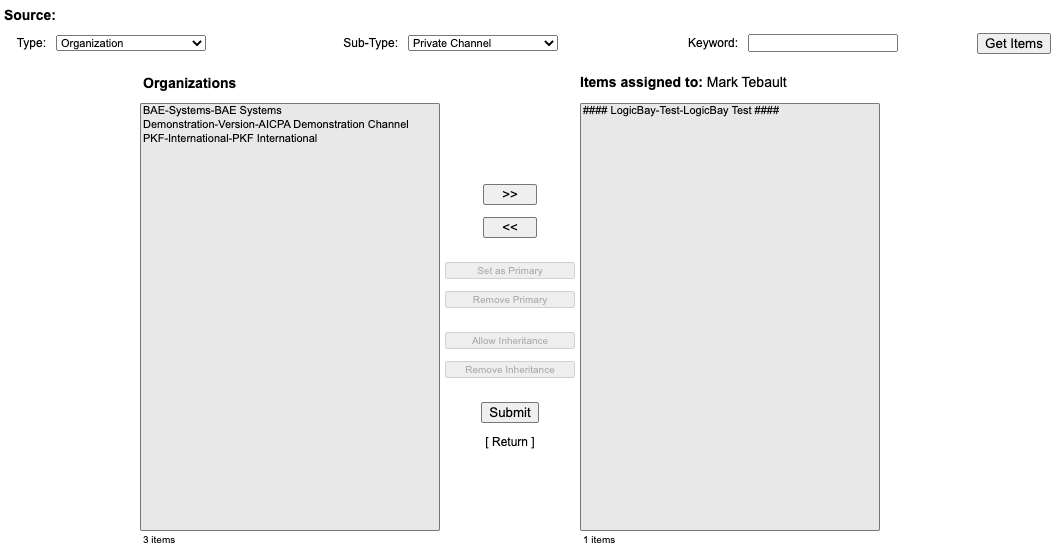
- Change the Sub-Type to Private Channel
- Click the Get Items button
- Select all the Channels in the Organizations list and click the >> button
- Click the Submit button to save the changes
- Click the Return link to close the Map-To screen
MANAGED ORGANIZATIONS
- Click the Managed Organization link to open the MapTo screen.
- Set the Source to Organization and Sub-Type to Public Channel
- Click the Get Items button
- Select all the Channels in the Organizations list and click the >> button
- Click the Submit button to save the changes
- Change the Sub-Type to Private Channel
- Click the Get Items button
- Select all the Channels in the Organizations list and click the >> button
- Click the Submit button to save the changes
- Click the Return link to close the Map-To screen
ADMINISTERED ORGANIATIONS
- Click the Administered Organization link to open the MapTo screen.
- Set the Source to Organization and Sub-Type to Public Channel
- Click the Get Items button
- Select all the Channels in the Organizations list and click the >> button
- Click the Submit button to save the changes
- Change the Sub-Type to Private Channel
- Click the Get Items button
- Select all the Channels in the Organizations list and click the >> button
- Click the Submit button to save the changes
- Click the Return link to close the Map-To screen
Comments
0 comments
Please sign in to leave a comment.