
Audience
This article is for administrators who manage users in the administration console. If you are an organization (dealer, distributor, supplier, etc.) administrator, please see the document on adding and editing users as an organization administrator.
Overview
Users in Performance Center are only visible to Campus administrators when the user is mapped to the campus or is a campus candidate. In most configurations you will have one or more organization structures mapped to your campus. Mapping a user to any organization in that structure allows the user access to the campus through inheritance. .
Procedure
User properties can be enabled and disabled during the initial Campus configuration. Your view of the user profile may differ from this document.
Access the admin menu. Click on the option to Add User or Edit a User
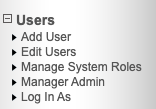
Adding a user
Click the Add user button to add a new user to the system. This will open the New User Profile editor.
General Tab
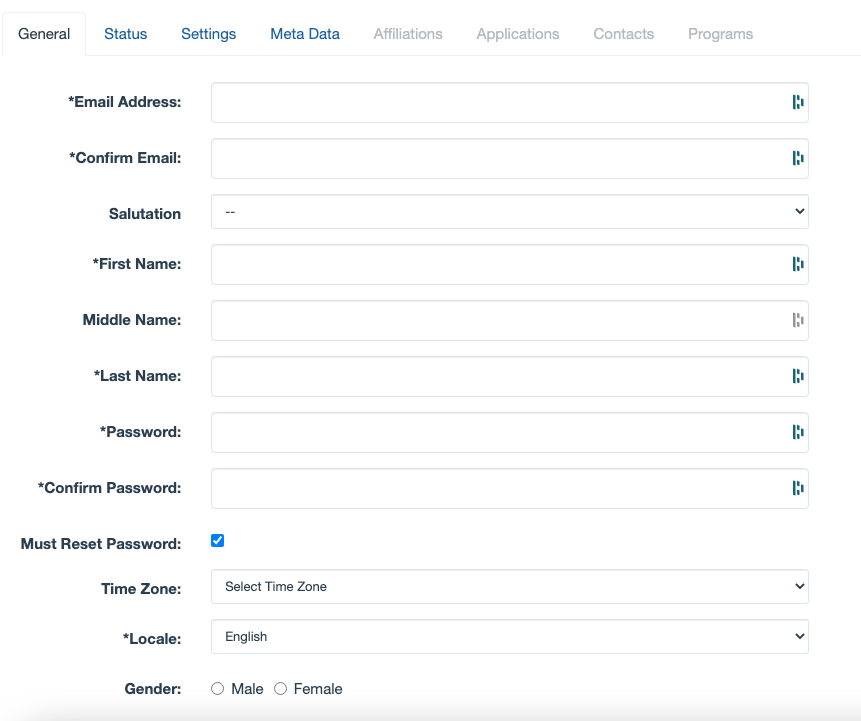 |
Only fields with an asterisk are required. Tabs that are disabled become active once you save the user for the first time. Roll over the labels to get a brief description of each field.
Note! The email address is the username by default; however, a configuration option allows for different username values. Please contact the help desk team for more information on this setting.
Status Tab
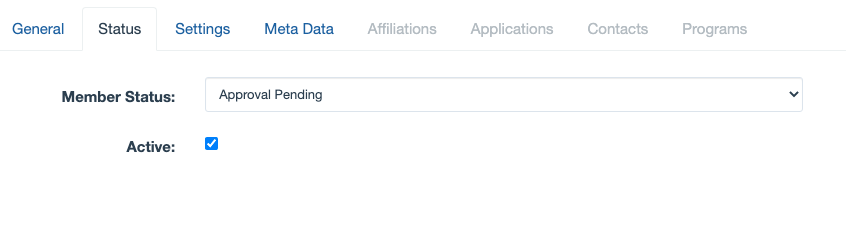 |
The Member Status can be one of the following options:
| Approval Pending |
When registration approval is enabled, this holds the registration notification until a manager approves the user. When registration approval is not used, this is equivalent to making a user active. |
| Approval Denied |
When registration approval is enabled, this denies the user's registration and makes the user inactive. When registration approval is not used, this is equivalent to making a user inactive. |
| Approval Granted |
When registration approval is enabled, this approves the user's registration and makes the user active. Optionally an email notification can be sent when this status is changed. When registration approval is not used, this is equivalent to making a user inactive. |
| Guest access only | This is a legacy feature that will be deprecated in an upcoming release. Do not use this status. |
Settings Tab
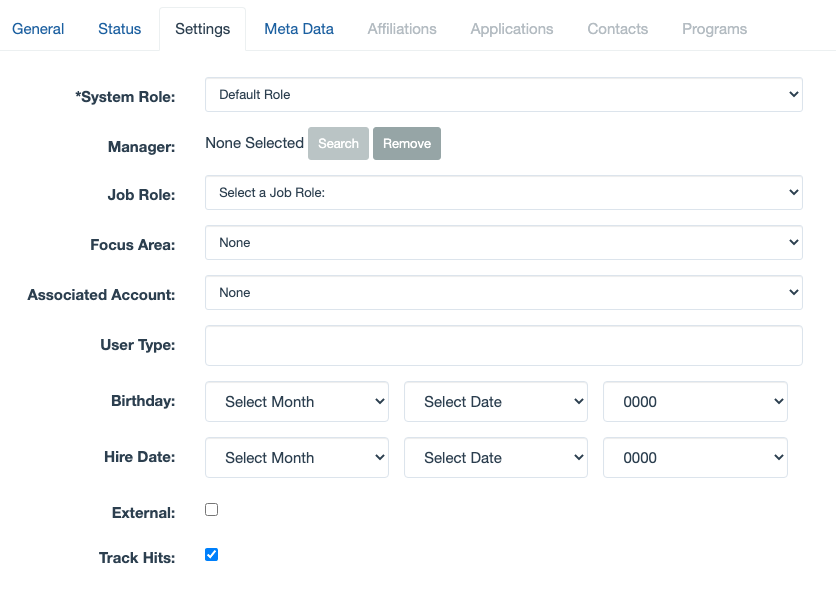 |
This is a commonly configured page in the administration. Some of the fields shown on the image above may be missed or required on your system.
Comments
0 comments
Please sign in to leave a comment.