
Accessing the Channel Administration
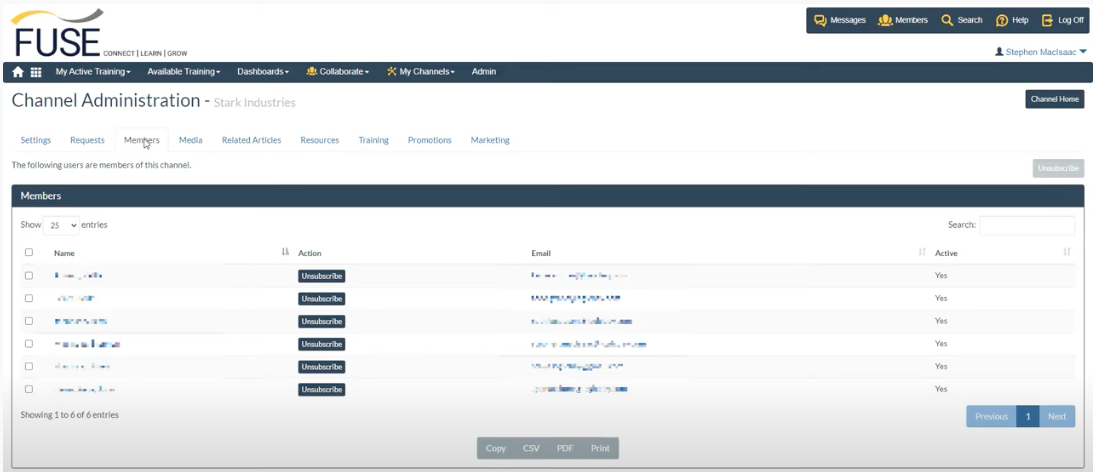
You can access the members tab from the channel administration menu.

Member Administration
Within the members tab, you see a list of current members associated with your channel.
Click on the members name to view their profile. The profile details include:
- Other channels the user belongs to
- Recent activity
- Training history
- and more
You can also message the user directly using a private message.
Emailing a Member
Going back going back to the members tab, members email addresses are listed. Click an email address to email the member using your default email client.
Removing a Member
Remove a member from your channel by clicking the unsubscribe button, or select one or more members and use the unsubscribe button at the top-right of the page.
Video
The video below demonstrates these features.
Comments
0 comments
Please sign in to leave a comment.